Why Retro Gaming Still Captivates Us
Remember the first time you powered on a video game console? That electric feeling of possibility, the simple joy of pixelated adventures, the satisfaction of mastering games through pure skill rather than grinding for loot boxes? That’s the magic retro gaming brings back. In 2026, despite cutting-edge graphics and photorealistic gameplay, millions of gamers are turning backward, rediscovering the classics that defined the medium.
Retro gaming isn’t just nostalgia—it’s about experiencing gaming history, appreciating timeless game design, and building something tangible in our increasingly digital world. Classic consoles represent eras when creativity flourished within technical limitations, producing some of the most innovative and memorable games ever created. Building your own retro gaming setup lets you curate these experiences, creating a personal museum of interactive entertainment.
This comprehensive guide will walk you through everything you need to know about creating your perfect retro gaming space. From choosing the best retro consoles to designing your DIY retro game room, we’ll cover practical advice, budget options, and expert tips to help you build a setup that honors gaming’s incredible legacy.
Understanding Retro Gaming Eras
The 8-Bit Generation (1980s)
The 8-bit era birthed modern gaming as we know it. The Nintendo Entertainment System (NES) revitalized the crashed gaming market with titles like Super Mario Bros., The Legend of Zelda, and Metroid. The Sega Master System provided competition, though it struggled against Nintendo’s dominance in Western markets. These consoles featured simple graphics, limited colors, and memorable chiptune soundtracks that still resonate today.
What makes 8-bit gaming special is its purity. Games succeeded or failed based entirely on gameplay and creativity. Without stunning graphics or cinematic presentation to hide behind, developers crafted tight mechanics and ingenious level design. This era established franchises that remain relevant forty years later—proof that great game design transcends technological limitations.
The 16-Bit Golden Age (Early 1990s)
The 16-bit generation represents many gamers’ golden age. The Super Nintendo Entertainment System (SNES) and Sega Genesis/Mega Drive battled for supremacy, pushing each other to excellence. This competition produced an incredible library—RPGs like Final Fantasy VI and Chrono Trigger, platformers like Super Mario World and Sonic the Hedgehog, and fighters like Street Fighter II.
The 16-bit era refined what 8-bit established while introducing mode 7 graphics, blast processing (marketing!), and soundchips capable of impressive audio. Games became more ambitious, stories more complex, and visuals more beautiful. For many collectors, 16-bit consoles represent the sweet spot—advanced enough to remain engaging, retro enough to feel classic.
The 32/64-Bit 3D Revolution (Mid-Late 1990s)
The jump to 3D fundamentally changed gaming. The Sony PlayStation, Sega Saturn, and Nintendo 64 brought polygonal worlds, cinematic presentation, and new gameplay possibilities. Some games made the transition beautifully—Super Mario 64 and The Legend of Zelda: Ocarina of Time remain masterpieces. Others struggled with clunky cameras and awkward controls, creating charming but dated experiences.
This era is fascinating for collectors because the technology was transitional. Games haven’t aged as gracefully as pixel-based classics, but they represent crucial evolution. The experimentation and ambition make this generation compelling despite rough edges. Plus, the nostalgia factor is enormous for millennials who grew up with these consoles.
The Sixth Generation (Early 2000s)
The PlayStation 2, GameCube, Xbox, and Dreamcast era sits at retro gaming’s edge. Are these systems “retro”? The answer depends on your definition, but they’re old enough (20+ years) to qualify. This generation refined 3D gaming, introduced online multiplayer broadly, and produced massive libraries of excellent games.
Collecting sixth-generation hardware is currently affordable before these systems become truly vintage. The games are sophisticated enough to remain engaging while feeling distinct from modern gaming. For younger retro enthusiasts, this generation might be where nostalgia kicks in.
Best Retro Consoles to Start Your Collection
Essential Nintendo Systems
NES and SNES
The NES and SNES form the foundation of any serious retro gaming collection. The NES library contains hundreds of games ranging from iconic (Super Mario Bros. 3) to obscure cult classics. Original hardware is reasonably affordable, though pristine units command premiums. The SNES offers arguably the best game library in gaming history—RPGs, platformers, fighters, and shooters all excellently represented.
For starting collectors, I recommend the SNES first. The games have aged better visually, the library is more accessible to modern sensibilities, and the hardware is generally more reliable. The NES is essential eventually, but the SNES delivers more immediate satisfaction for most players.
Nintendo 64 and GameCube
The Nintendo 64 divides collectors. Its library is smaller and more Nintendo-centric than competitors, but the first-party games are phenomenal. Super Mario 64, Ocarina of Time, GoldenEye 007, and Mario Kart 64 alone justify ownership. The controller is notorious—uniquely designed with three handles and an analog stick prone to wearing out.
The GameCube is currently undervalued compared to its quality. First-party Nintendo titles are excellent, and unique games like Eternal Darkness and Resident Evil 4 (originally exclusive) make it worthwhile. GameCube hardware is reliable, compact, and compatible with Game Boy games via accessories.
Iconic Sega Consoles
Sega Genesis/Mega Drive
The Genesis is Sega’s most successful and beloved console. The library skews toward action games—Sonic the Hedgehog, Streets of Rage, Golden Axe—but includes excellent RPGs like Phantasy Star IV and strategy games. The Genesis sound chip produces distinctive music that’s divisive but characterful.
Genesis hardware is affordable and widely available. Model 1 units are more desirable aesthetically, but Model 2 consoles are reliable and compact. The ecosystem includes add-ons like Sega CD and 32X—interesting curiosities but not essential for most collectors.
Dreamcast
The Dreamcast is Sega’s final console and a cult favorite. It died commercially but left an incredible library—Shenmue, Jet Set Radio, Crazy Taxi, and excellent arcade ports. The console was innovative, featuring built-in modem, VMU memory cards with screens, and ahead-of-its-time online gaming.
Dreamcast collecting is currently affordable, making it perfect for budget-conscious retro enthusiasts. The console’s quirky library includes games found nowhere else. Hardware reliability can be issues—disc drives fail—but replacement parts remain available.
PlayStation Family
Original PlayStation
The PlayStation revolutionized gaming by bringing 3D to the masses affordably. The library is enormous—over 1,000 games in North America alone. RPGs particularly shine with Final Fantasy VII, VIII, and IX, Chrono Cross, and countless others. The system also excels at unique titles like Metal Gear Solid and Resident Evil.
Original PlayStation hardware is incredibly common and cheap. Disc rot is a concern with optical media, but most games remain playable. The system’s greatest strength is its diverse library encompassing every genre imaginable.
PlayStation 2
The PS2 is the best-selling console ever with a library exceeding 1,800 games. It backwards-compatible with PS1 games, plays DVDs, and hosts incredible exclusives. God of War, Shadow of the Colossus, Kingdom Hearts, and Gran Turismo are just the beginning.
PS2 collecting is uniquely accessible—consoles and games are abundant and affordable. The sheer variety means everyone finds games they love. For maximizing value, the PS2 is unbeatable in retro gaming.
Hidden Gems and Alternative Consoles
Don’t overlook systems like the TurboGrafx-16, Neo Geo, Atari Jaguar, or 3DO. These consoles failed commercially but offer unique games and perspectives on gaming history. They’re more expensive and have smaller libraries, making them better for experienced collectors rather than beginners.
Regional variants also interest collectors—Japanese consoles play exclusive games never released elsewhere. A Japanese Saturn or PC Engine opens entirely new game libraries worth exploring.
Retro Gaming Setup Ideas for Different Spaces
Compact Apartment Setup
Limited space doesn’t prevent excellent retro gaming setups. Focus on one or two consoles at a time, rotating others into storage. Use multi-cart systems or flash cartridges reducing physical game storage. Wall-mounted shelves maximize vertical space without consuming floor area.
Consider mini consoles like NES Classic or Sega Genesis Mini—they provide authentic experiences in tiny packages. A small CRT TV (13-20 inches) fits comfortably in apartments while delivering the authentic retro experience. Prioritize quality over quantity when space is limited.
Dedicated Game Room Design
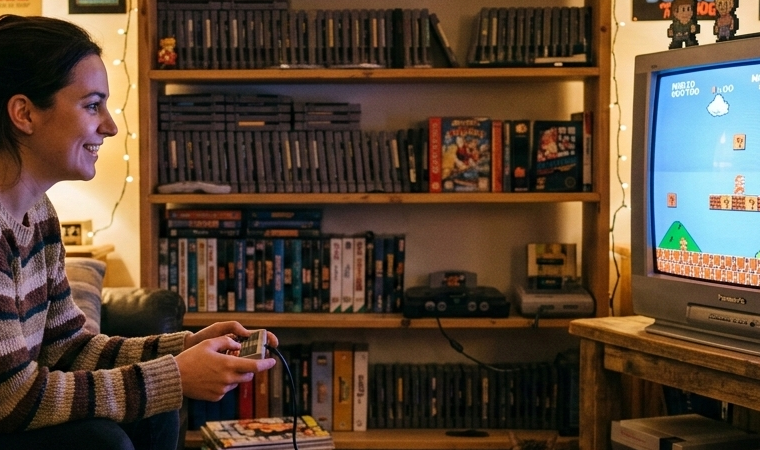
If you’re fortunate enough to have a spare room, create the ultimate DIY retro game room. Install shelving along walls for game displays. Create console stations for different systems—each with appropriate controllers and games. Include comfortable seating positioned for optimal viewing distances.
Themed decorations transform the space into a retro gaming paradise. Arcade marquees, vintage posters, and neon signs create atmosphere. A dedicated game room becomes your personal gaming museum and hangout space for friends.
Living Room Integration
Integrate retro gaming into living spaces by choosing furniture that accommodates gaming while matching your aesthetic. Media centers with concealed storage hide consoles when not in use. Cable management prevents tangled messes from ruining the room’s appearance.
Modern TVs work with retro consoles through adapters, allowing seamless integration without dedicated CRT TVs. This approach prioritizes convenience and aesthetic harmony over pure authenticity.
Portable Retro Gaming Station
Create a portable setup using handheld consoles (Game Boy, DS, PSP) or retro handhelds like Analogue Pocket. These systems let you enjoy retro gaming anywhere—traveling, commuting, or just different rooms in your home.
Portable setups are perfect for those who can’t dedicate permanent space to retro gaming but still want access to classic games. They’re also excellent supplements to full setups, providing gaming flexibility.
DIY Retro Game Room: Planning Your Space
Choosing the Right Location
Select a space with climate control—temperature and humidity extremes damage vintage electronics. Basements can work if dry and temperature-controlled, though ground-level or upper floor rooms are generally better. Consider noise—retro gaming can be loud, so choose locations where sound won’t disturb others.
Accessibility matters too. Your game room should be inviting enough to actually use regularly, not a difficult-to-access space you avoid. Proximity to bathrooms and kitchens improves comfort during extended gaming sessions.
Lighting and Atmosphere
Lighting dramatically affects retro gaming experiences. Avoid direct light on TV screens causing glare. Ambient lighting with dimmers lets you adjust based on time and preference. LED strips behind shelves or under furniture create atmospheric glow without interfering with screens.
Natural light damages game boxes and artwork—if your space has windows, use UV-blocking curtains or shades. The goal is controllable lighting creating the perfect gaming atmosphere.
Furniture and Display Options
Invest in sturdy shelving supporting heavy game collections. Metal or solid wood shelves handle weight better than particleboard. Glass-front cabinets protect valuable games while displaying them beautifully. Dedicated console stands organize hardware while providing ventilation preventing overheating.
Comfortable seating is crucial. Gaming chairs, bean bags, or sofas positioned at appropriate viewing distances prevent fatigue during long sessions. Consider multiple seating options accommodating solo gaming and multiplayer sessions with friends.
Cable Management Solutions
Retro consoles create cable chaos—power cords, AV cables, controller cables multiply quickly. Use cable sleeves, ties, or channels organizing wires neatly. Label cables with tags identifying which console they belong to, simplifying setup changes.
Power strips with switches let you control multiple consoles easily. Surge protectors guard vintage electronics against power fluctuations. Good cable management isn’t just aesthetic—it protects equipment and prevents accidental disconnections.
Acquiring Classic Consoles and Games
Where to Buy Authentic Hardware
Local retro game stores offer hands-on inspection before purchasing. Prices are higher than online but you verify condition personally. Flea markets, garage sales, and estate sales occasionally yield incredible deals—though these require patience and luck.
Online options include eBay, Mercari, Facebook Marketplace, and specialty sites like DKOldies. Online buying requires trusting seller descriptions and photos. Check seller ratings, ask questions, and understand return policies. Reddit communities like r/GameSale facilitate transactions between collectors.
Understanding Pricing and Value
Retro game prices fluctuate based on rarity, condition, and market demand. Use PriceCharting.com tracking average sale prices. Understand that “complete in box” (CIB) games command premiums over loose cartridges. Condition matters enormously—pristine items cost significantly more than functional but worn ones.
Some games are genuinely rare and expensive. Others are overpriced due to artificial scarcity or speculation. Research before paying premium prices, ensuring you’re buying rare games rather than commonly available titles with inflated prices.
Spotting Fakes and Reproductions
Reproduction cartridges flood retro gaming markets. Learn to identify them by examining labels, cartridge shells, and PCBs (when possible). Reproductions aren’t inherently bad—they let you play expensive games affordably—but they should be priced appropriately and disclosed honestly.
Compare suspect cartridges against authentic examples online. Check screw types, label quality, and cartridge weight. When buying expensive games, request photos showing every angle and interior PCB shots. Reputable sellers disclose reproductions; dishonest ones hide them.
Building Game Collections Wisely
Don’t chase complete collections—they’re expensive and include many mediocre games. Focus on games you’ll actually play and enjoy. Create a wishlist prioritizing must-haves, then add titles as budget allows.
Explore genres you wouldn’t normally try. Retro game prices sometimes reflect nostalgia rather than quality—hidden gems exist at affordable prices while overrated classics cost fortunes. Build collections reflecting your personal interests, not arbitrary completionism.
Modern Solutions for Classic Gaming
HDMI Adapters and Upscalers
Modern TVs struggle with retro consoles’ analog signals. HDMI adapters and upscalers bridge this gap, converting classic outputs into HDMI while minimizing lag and improving image quality. Budget options like generic converters work but introduce lag. Premium solutions like RetroTINK or OSSC provide near-lagless performance with excellent image quality.
These devices are essential for playing retro games on modern displays without compromising the experience. They’re investments but dramatically improve compatibility and image quality.
Flash Cartridges and ODEs
Flash cartridges (Everdrive, etc.) store entire game libraries on SD cards, loading ROMs onto original hardware. Optical Drive Emulators (ODEs) replace disc drives in consoles like Saturn or Dreamcast with SD card readers. These solutions preserve original hardware while providing convenience of digital libraries.
Ethically gray but practically useful, these devices let you experience entire libraries without spending thousands on physical games. They’re particularly valuable for rare, expensive titles or games never released in your region.
Mini Consoles and Plug-and-Play Devices
Official mini consoles from Nintendo, Sega, Sony, and others provide authentic experiences without tracking down original hardware. They’re affordable, compact, and include curated game selections. Some support modding, adding games beyond official libraries.
Mini consoles work well for casual retro gaming without commitment to full collecting. They’re perfect gifts for nostalgic gamers who want simplicity over authenticity.
Emulation Boxes and Raspberry Pi
Raspberry Pi boards running RetroPie or Recalbox emulate dozens of systems affordably. These solutions provide massive game libraries and convenience. They’re technically emulation rather than original hardware, making them controversial among purists.
For budget-conscious players wanting access to vast retro libraries, emulation boxes are practical. They lack the authenticity and collectibility of original hardware but deliver the games efficiently and affordably.
Display Options for Retro Gaming
CRT TVs: The Authentic Experience
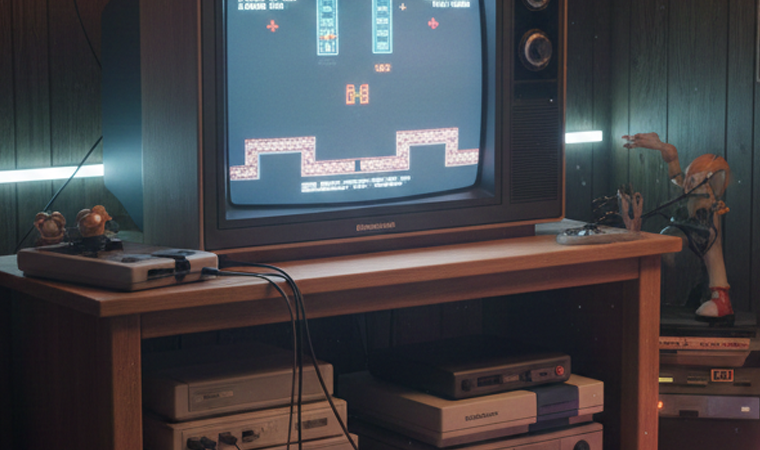
CRT (cathode ray tube) TVs provide the authentic retro gaming experience. Classic consoles were designed for CRTs—the slight blur and scanlines actually enhance pixel art, and the zero-lag response feels incredibly responsive. Light gun games require CRTs to function.
Finding quality CRTs is increasingly difficult. They’re heavy, consume space, and aren’t manufactured anymore. But for purists, CRTs deliver unmatched authenticity. Smaller CRTs (20-27 inches) balance quality and practicality better than massive units.
Modern TVs with Retro Consoles
Modern TVs introduce challenges—lag from image processing, poor scaling of low-resolution signals, and compatibility issues with older connection types. Enable “game mode” reducing processing lag. Use upscalers converting signals to native resolutions, improving image quality.
Modern TVs work acceptably for retro gaming with proper equipment and settings. They’ll never match CRTs for authentic experiences but offer convenience and space savings.
Gaming Monitors and Upscaling
RetroTINK and OSSC Solutions
RetroTINK and OSSC (Open Source Scan Converter) are premium upscalers beloved by serious retro gamers. They provide near-zero lag, multiple scaling options, and compatibility with various consoles. These devices are expensive ($200-400) but deliver exceptional results.
For players prioritizing performance on modern displays, these upscalers are the gold standard. They preserve image quality while maintaining the responsive feel crucial for retro gaming.
Controller Solutions and Accessories
Original vs. Reproduction Controllers
Original controllers provide authentic experiences but suffer from age—worn analog sticks, unresponsive buttons, and frayed cables plague vintage controllers. Reproduction controllers offer new hardware mimicking originals, though quality varies dramatically.
Premium reproduction controllers from companies like 8BitDo match or exceed original quality. Budget reproductions save money but often feel cheap with poor responsiveness. For valuable games and serious play, invest in quality controllers.
Wireless Adapter Options
Wireless adapters free you from controller cable constraints. Various companies produce wireless solutions for classic consoles, using Bluetooth or proprietary wireless technologies. These adapters add convenience without modifying original hardware.
Some purists dislike wireless for potential lag, though quality adapters introduce imperceptible delay. For casual retro gaming, wireless freedom often outweighs minor latency concerns.
Universal Controllers for Multiple Systems
Universal controllers work across multiple retro consoles, reducing clutter. The 8BitDo Pro 2 controller works with various systems through adapters. These solutions are practical for setups with many consoles, though they sacrifice some authenticity.
For dedicated collections, original controllers per system provide the intended experience. For casual or space-limited setups, universal controllers make sense.
Organizing and Displaying Game Collections
Shelving Systems
Proper shelving showcases collections while protecting games. Adjustable shelves accommodate various game box sizes. Depth matters—some retro game boxes are deeper than modern cases, requiring appropriate shelf depth.
Popular solutions include Billy bookcases from IKEA (affordable, customizable), Atlantic Oskar media shelves (designed for games), or custom-built solutions tailored to specific collections and spaces.
Protective Cases and Storage
Box protectors preserve game packaging from dust, moisture, and handling damage. Companies produce clear plastic cases for various game box sizes. These protectors are essential for valuable or collectible games.
Store loose cartridges in protective cases preventing label damage and dirt accumulation. Organization systems like binders with plastic sleeves work for large collections, though purists prefer traditional shelving.
Catalog Management
As collections grow, tracking what you own becomes challenging. Apps like Gameye or CLZ Games catalog collections digitally. These apps prevent buying duplicates and help insurance claims if needed.
Spreadsheets work too for collectors preferring customization. The key is consistently updating your catalog as you acquire games.
Creating Aesthetic Displays
Display collections aesthetically by organizing games by console, alphabetically, or by cover art colors (rainbow shelving looks incredible). Mix in gaming memorabilia—figurines, controllers, promotional items—creating visual interest.
Lighting enhances displays. LED strips behind shelves create attractive glow highlighting collections. Avoid direct light on game boxes preventing fading.
Maintaining and Preserving Retro Hardware
Cleaning Classic Consoles
Regular cleaning maintains retro hardware. Use compressed air removing dust from vents and cartridge slots. Isopropyl alcohol (90%+) cleans contacts on cartridges and consoles. Q-tips and soft cloths prevent scratches while cleaning.
Deep cleaning occasionally improves performance—disassemble consoles cleaning internals, replacing thermal paste if applicable. This requires comfort with electronics, but YouTube tutorials guide most cleaning procedures.
Replacing Internal Batteries
Many cartridge-based games use internal batteries maintaining save data. These batteries eventually die (typically 10-30 years). Replacing them requires soldering skills or professional services. Without replacement, games lose save functionality.
Identify games with batteries, check if they’re functioning, and replace them preemptively for valuable saves. Battery replacement services exist for collectors uncomfortable with soldering.
Repairing Common Issues
Common issues like dirty cartridge slots, worn controller ports, or failing power supplies often have simple fixes. Online communities provide troubleshooting guides for most problems. Replacement parts for popular consoles remain available.
Learn basic repairs extending hardware lifespan and saving money. Start with simple fixes before attempting complex repairs.
When to Seek Professional Repairs
Complex issues—failed laser assemblies, malfunctioning chips, or damage from liquid exposure—require professional repair. Specialty repair services understand vintage electronics, providing better results than general electronics repair shops.
Weigh repair costs against replacement costs. Sometimes buying another console is cheaper than repairing severely damaged units.
Budget-Friendly Retro Gaming Setup
Starting Small and Growing
Begin with one console and handful of games. Master that system before expanding. This approach prevents overwhelming yourself and spreading budget too thin.
Popular affordable starting points include PS2 (cheap, huge library), SNES (timeless classics), or Genesis (excellent action games). Choose based on nostalgic attachment or curiosity.
Prioritizing Quality Over Quantity
Five excellent games you’ll actually play beat fifty mediocre titles collecting dust. Research before buying, reading reviews and watching gameplay. Build curated collections of genuinely enjoyable games.
This approach saves money while ensuring satisfying gaming experiences. Quality focus also prevents collections becoming overwhelming.
Cost-Effective Alternatives
Emulation provides free access to vast libraries while you save for original hardware. Mini consoles offer official experiences affordably. Reproduction controllers cost less than pristine originals.
These alternatives aren’t “lesser”—they’re different approaches with unique advantages. Use them strategically building toward your ideal setup over time.
Creating the Perfect Retro Gaming Atmosphere
Arcade-Style Decorations
Arcade aesthetics transform game rooms into nostalgic wonderlands. Marquees from actual arcade cabinets, arcade-style stools, and carpet patterns mimicking arcade floors create authentic vibes.
Full arcade cabinets are expensive and space-consuming, but aesthetic elements capture the spirit without full commitment.
Posters and Wall Art
Vintage gaming posters, framed box art, and promotional materials personalize spaces. These decorations are affordable ways adding character. Mix official merchandise with fan art supporting artists.
Gallery walls displaying multiple pieces create focal points. Rotate displays periodically keeping the room feeling fresh.
Neon Signs and LED Lighting
Neon signs featuring gaming logos or custom designs create striking atmosphere. LED alternatives provide similar aesthetics more affordably and safely. Programmable LED strips enable custom lighting schemes matching different gaming moods.
Lighting shouldn’t interfere with screen visibility but should create ambiance during and between gaming sessions.
Sound System Considerations
Retro game music deserves quality audio. Stereo systems or soundbars enhance chiptunes and retro soundtracks. Position speakers appropriately for optimal sound without overwhelming your space.
Some collectors include separate music systems playing game soundtracks when not actively gaming, creating constant nostalgic atmosphere.
Community and Social Aspects
Local Retro Gaming Groups
Join local gaming groups meeting for multiplayer sessions, game swaps, and socializing. These communities share knowledge, recommendations, and friendship. Search Facebook for local retro gaming groups or check gaming stores for organized events.
In-person communities make collecting more social and less isolating. They’re resources for finding deals, trades, and repair help.
Online Communities and Forums
Online communities like Reddit’s r/retrogaming, NintendoAge, and Sega-16 forums connect worldwide collectors. These spaces offer incredible knowledge, helping troubleshoot issues, identify games, and discuss collecting.
Participate actively—sharing your finds, asking questions, and helping others. Online communities are invaluable resources for retro gaming enthusiasts.
Game Swaps and Conventions
Retro gaming conventions and swap meets let you buy, sell, and trade while meeting fellow enthusiasts. Events like Portland Retro Gaming Expo or regional conventions provide huge selections and community atmosphere.
Conventions offer hands-on inspection before purchasing and opportunities meeting content creators and developers. They’re pilgrimages for serious collectors.
Legal and Ethical Considerations
Emulation and ROMs
Emulation’s legality is complex. Emulators themselves are legal, but downloading ROMs of games you don’t own is technically illegal, though rarely prosecuted for personal use. The ethical question is whether emulation harms copyright holders when physical copies sell on secondary markets benefiting collectors rather than developers.
Many collectors consider emulation ethical for games they own physically or games impossible to purchase officially. Others view all ROM usage as piracy. This decision is personal.
Reproduction Cartridges
Reproduction cartridges enable playing rare games affordably. They’re legal as long as they don’t misrepresent themselves as authentic. Buying reproductions knowingly is fine; being deceived into paying authentic prices for reproductions is fraud.
Support honest reproduction sellers while avoiding those passing off reproductions as authentic.
Supporting Preservation Efforts
Organizations like the Video Game History Foundation preserve gaming history. Support them through donations or purchasing from companies that contribute to preservation.
Buying official re-releases when available supports continued gaming preservation and shows publishers that retro gaming has commercial value worth supporting.
Conclusion
Building your own retro gaming setup is a journey combining nostalgia, collecting, and genuine appreciation for gaming history. Whether you’re creating an elaborate DIY retro game room or a modest corner with a single console, the goal is celebrating the games that shaped the medium we love. The best retro consoles aren’t necessarily the most expensive or rare—they’re the ones that bring you joy and connect you to gaming’s incredible legacy.
Start small with what excites you most, then expand as passion and budget allow. Join communities sharing your enthusiasm, learn from experienced collectors, and don’t stress about perfection. Retro gaming is about enjoyment, not achieving some arbitrary standard. Your setup should reflect your personal gaming history and interests.
The beauty of retro gaming in 2026 is the abundance of resources, communities, and options available. From original hardware to modern solutions, from CRT purists to emulation enthusiasts, there’s room for every approach. Build your setup your way, play the games you love, and preserve the magic that made these classics timeless. Your retro gaming adventure starts now—what will you play first?
FAQs
1. What are the best retro consoles to start collecting if I have a limited budget?
For budget-conscious collectors, start with the PlayStation 2—it’s incredibly affordable, has backward compatibility with PS1 games, and offers one of gaming’s largest libraries (1,800+ titles). Games and hardware are abundant, keeping prices low. Alternatively, the Sega Genesis/Mega Drive provides excellent value with classic games available cheaply. The SNES, while slightly more expensive, offers arguably gaming’s best library and is worth the investment. Avoid starting with rare systems like TurboGrafx-16 or Neo Geo—their limited libraries and high prices make them better for experienced collectors. Focus on one system, build a small quality game collection, then expand to other consoles as budget permits.
2. Do I really need a CRT TV for authentic retro gaming, or will a modern TV work?
CRT TVs provide the most authentic retro gaming experience—zero lag, proper scaling of low-resolution graphics, and compatibility with light gun games. However, modern TVs work acceptably with proper equipment. Invest in quality upscalers like RetroTINK or OSSC converting retro console signals to HDMI while minimizing lag. Enable “game mode” on modern TVs reducing image processing delay. The difference is noticeable but not game-breaking for most players. CRTs are ideal for purists and competitive players, but casual retro gamers can enjoy excellent experiences on modern displays with right adapters. Choose based on available space, budget, and how much authenticity matters to you.
3. What retro gaming setup ideas work best for small apartments?
Small apartments can still host great retro gaming setups through smart space management. Use wall-mounted shelves maximizing vertical space without consuming floor area. Focus on 1-2 consoles at a time, rotating others into storage. Multi-cart flash cartridges reduce physical game storage needs. Consider mini consoles (NES Classic, Genesis Mini) providing authentic experiences in tiny packages. A small CRT (13-20 inches) delivers authenticity without dominating rooms. Alternatively, use modern TVs with upscalers for space savings. Prioritize quality over quantity—a small curated collection of favorites beats hundreds of games in cramped spaces. Portable solutions like handhelds or Raspberry Pi setups offer flexibility for extremely limited spaces.
4. How can I build a DIY retro game room on a tight budget?
Create budget-friendly DIY retro game rooms by prioritizing essentials over aesthetics initially. Start with one affordable console and small game collection. Use second-hand furniture—thrift stores often have suitable shelving, seating, and TV stands cheaply. Make your own decorations: print and frame game art, create pixel art, or repurpose gaming memorabilia you already own. LED strip lighting costs little but creates great atmosphere. Build collections gradually through patient deal-hunting at garage sales, thrift stores, and online marketplaces. Focus on mid-tier retro consoles like PS2, Genesis, or N64—these offer excellent libraries affordably. Avoid expensive rarities initially. Emulation provides free game access while saving for physical copies. Budget setups can look great and play wonderfully—creativity matters more than money.
5. Are reproduction games and flash cartridges worth buying for retro gaming collections?
Reproduction cartridges and flash cartridges (Everdrives) serve different purposes than authentic collecting. Reproductions let you play expensive rare games affordably—useful for actually playing games rather than pure collecting. They should cost $20-40, not $200+. Flash cartridges provide entire libraries on SD cards, perfect for experiencing many games without spending thousands. Both solutions prioritize playing over collecting. If you’re building game collections for investment or authenticity, stick with originals. If your goal is experiencing retro games regardless of format, reproductions and flash carts are excellent value. Many collectors use both—authentic copies of favorites, reproductions/flash carts for expensive titles they want to play. The “worth” depends entirely on your collecting philosophy and budget.