
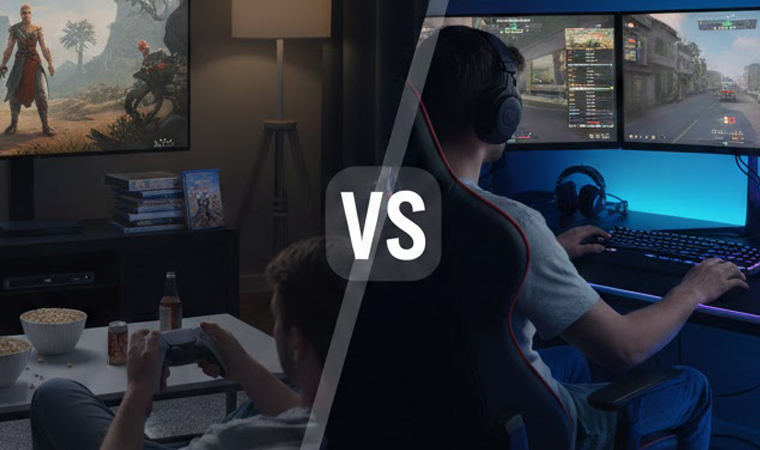
The Eternal Gaming Debate
Console versus PC gaming—it’s the debate that never dies, and honestly? It probably never will. Walk into any gaming forum, mention your preferred platform, and watch the sparks fly. But here’s the thing: in 2026, this debate looks very different than it did even five years ago. The lines between console and PC gaming have blurred significantly, yet distinct differences remain that make each platform uniquely appealing to different types of gamers.
The truth is, there’s no universal “better” option anymore. Both platforms have evolved tremendously, addressing many of their historical weaknesses while doubling down on their unique strengths. Consoles have become more powerful and flexible, while PCs have become more accessible and user-friendly. The question isn’t really “which is better” but rather “which is better for you?”
This comprehensive guide cuts through the fanboy rhetoric and examines the actual practical differences between console and PC gaming in 2026. We’ll look at performance, cost, game libraries, convenience, and all the factors that actually matter when choosing where to invest your gaming time and money. Whether you’re a newcomer trying to decide which platform to start with or a veteran considering a switch, we’ll give you the information you need to make an informed decision.
Why This Question Still Matters
With limited budgets and time, most people can’t justify owning every gaming platform. You need to choose where to invest, and that choice affects what games you can play, who you can play with, and how you experience gaming for years to come. The platform you choose becomes your gaming ecosystem—your friends list, your game library, your comfort zone.
The decision also affects your broader entertainment setup. Consoles integrate naturally into living room entertainment systems. PCs double as work and productivity machines. Each has implications beyond just gaming that factor into the value proposition. Understanding these differences helps you make choices aligned with your lifestyle, not just your gaming preferences.
How 2026 Has Changed the Landscape
Several developments in 2026 have shifted the console vs PC calculus. Cross-platform play has become standard, eliminating the “my friends all play on X” argument for many games. Cloud gaming services work on both platforms, blurring hardware distinctions. PlayStation has committed to porting more exclusives to PC, while Xbox games launch simultaneously on PC and console.
On the hardware side, current-gen consoles (PlayStation 5 and Xbox Series X|S) have hit their stride, with developers fully utilizing their capabilities. Meanwhile, PC component prices have stabilized after years of volatility, making PC gaming more accessible. These changes mean the platform debate today looks dramatically different than it did in 2021 when current consoles launched.
Understanding What Each Platform Offers
What Defines Console Gaming
Console gaming centers around dedicated gaming devices designed for simplicity and reliability. You buy a PlayStation 5 or Xbox Series X, plug it into your TV, download games, and play. No driver updates, no compatibility worries, no tweaking settings—just gaming. This plug-and-play philosophy is console gaming’s core appeal.
Consoles are also designed around the living room experience. They’re quiet, compact, aesthetically pleasing devices that integrate with home entertainment systems. The controller-first interface works naturally from a couch, and features like quick resume and sleep mode respect your time. Everything about consoles is optimized for convenient, frictionless gaming.
The closed ecosystem approach means consistency. Every PS5 delivers identical performance. Developers optimize games for specific hardware, ensuring smooth experiences. You’re not wondering if your console can run a game—if it’s on the platform, it runs properly. This reliability removes the guesswork that sometimes plagues PC gaming.
What Defines PC Gaming
PC gaming is about freedom, flexibility, and raw power. Your gaming PC is also your work machine, your streaming device, your productivity hub. It’s not a dedicated gaming box but a general-purpose computer where gaming is one (admittedly important) function among many.
The open platform means unlimited customization. You choose every component based on budget and priorities. You adjust every graphics setting to balance visual fidelity and performance. You mod games, overclock hardware, and tinker to your heart’s content. For enthusiasts who enjoy optimization as much as gaming itself, PCs are paradise.
PC gaming also means access to the largest game library in existence—decades of PC gaming history, indie games that never come to consoles, strategy and simulation games that require keyboard and mouse, and mods that transform games into entirely new experiences. If variety and choice define your gaming preferences, PC offers unmatched breadth.
The Blurring Lines Between Platforms
The historical distinctions between console and PC gaming are fading. Consoles now support mouse and keyboard for many games. PCs connect easily to TVs for couch gaming. Cross-platform play means console and PC players compete together. Game subscription services exist on both platforms. This convergence means choosing based on secondary factors rather than fundamental differences.
Cloud gaming accelerates this blurring—services like Xbox Cloud Gaming and GeForce NOW let you play console or PC games on almost any device. When you can stream PlayStation games to your laptop or Xbox games to your phone, does the underlying platform even matter? The future points toward platform-agnostic gaming where your hardware choice is about preference rather than necessity.
Performance Comparison in 2026
Raw Power and Graphics
PlayStation 5 and Xbox Series X Capabilities
Current-gen consoles pack impressive hardware—custom AMD processors, powerful GPUs, ultra-fast SSDs, and unified memory architectures optimized specifically for gaming. The PlayStation 5 and Xbox Series X target 4K gaming at 60fps with options for performance modes hitting 120fps at lower resolutions or fidelity modes prioritizing visual quality at 30fps.
In practice, most games offer choice between these modes. Want buttery smooth 60fps? Performance mode delivers. Prefer maximum visual fidelity? Quality mode provides. Some games even offer 120fps options for competitive play. For the vast majority of games, console performance in 2026 is excellent—smooth, visually impressive, and far beyond what previous console generations achieved.
The catch is that you’re locked into the hardware. The PlayStation 5 launching in 2020 will remain the PlayStation 5 until PlayStation 6 eventually releases—likely not until 2027 or later. Your performance is frozen at launch specs (minus minor improvements from software optimization). For many players, this is fine—the hardware is good enough. For enthusiasts wanting cutting-edge, it’s limiting.
Modern Gaming PC Performance
A well-built gaming PC in 2026 can absolutely demolish console performance—if you’re willing to pay for it. High-end GPUs like the RTX 5090 or RX 8900 XT deliver performance that makes console hardware look quaint. We’re talking 4K gaming at 144fps with maxed settings, ray tracing at playable frame rates, and headroom for VR, AI upscaling, and future technologies.
But here’s the critical point: you’re paying for that performance. A PC matching console performance costs roughly the same as the console. A PC significantly exceeding console performance costs double or triple. The performance advantage exists, but it’s not free. You’re trading money for power, and many gamers reasonably conclude that console performance is “good enough” for significantly less investment.
Budget and mid-range gaming PCs are also viable options. You don’t need the latest RTX 5090 to game on PC. A mid-range build with an RTX 5060 or RX 8700 XT provides excellent 1440p gaming at high settings—roughly equivalent to or slightly better than console performance at similar price points once you factor in peripherals and operating system costs.
Frame Rates and Resolution
Consoles in 2026 typically target 1440p-4K at 30-60fps for graphically intensive games, with performance modes offering 1080p-1440p at 60-120fps. This meets or exceeds what most gamers need—60fps feels smooth, and 4K provides impressive visual fidelity on large TVs. Competitive games usually offer 120fps modes for reduced input lag.
Gaming PCs offer more flexibility. You can push for 240fps at 1080p for competitive advantage. You can game at 1440p ultrawide for immersive experiences. You can target 4K at 120fps if you have the hardware. This flexibility appeals to enthusiasts who want exactly the experience they prefer rather than choosing between developer-provided options.
However, this flexibility comes with complexity. You’re adjusting dozens of graphics settings, benchmarking performance, troubleshooting stuttering, tweaking configs. For some, this is fun optimization. For others, it’s tedious work before actually playing games. Console’s simplicity—pick performance or quality, then play—has genuine appeal.
Loading Times and SSD Technology
Both consoles and modern PCs use NVMe SSDs eliminating the loading screen hell of previous generations. Console games load in seconds. Fast travel is instant. Dying and respawning is painless. This quality-of-life improvement affects daily gaming experience more than frame rate differences.
PCs typically use standard PCIe 4.0 or 5.0 SSDs offering similar or better raw speeds than console SSDs. However, consoles benefit from custom I/O architectures and DirectStorage API optimizations designed specifically for gaming workloads. In practice, loading times are comparable across platforms—both are excellent.
Cost Analysis: Initial Investment
Console Pricing in 2026
PlayStation 5 and Xbox Series X retail for $499. The Xbox Series S, a less powerful but capable option, costs $299. These prices include everything you need except games—the console, one controller, all necessary cables, and the operating system (obviously). You literally unbox it, plug it in, and you’re gaming within minutes.
However, you’ll likely want additional accessories. A second controller for multiplayer ($70), a headset for online chat ($50-100), and possibly a charging station ($30). Budgeting $600-700 total for a complete console gaming setup is realistic. Still, that’s your complete investment upfront with no hidden costs besides games.
The Series S at $299 deserves special mention as the cheapest entry into current-gen gaming. It targets 1440p rather than 4K and lacks a disc drive, but performance is solid for most games. For budget-conscious players or those with 1080p displays, it’s a compelling option that dramatically lowers the entry barrier.
PC Gaming Entry Costs
Building or buying a gaming PC gets expensive fast. A pre-built PC roughly matching console performance costs $700-900. Building yourself saves $100-200 but requires research and assembly comfort. Then you need peripherals—monitor ($150-300), keyboard and mouse ($50-150), and headset ($50-100). You’re easily at $1,000-1,200 for a complete setup.
Budget builds are possible—you can build a capable 1080p gaming PC for $500-600, but performance will be noticeably below current consoles. The sweet spot for PC gaming is around $800-1,000 for the tower, which provides performance meeting or slightly exceeding consoles. But remember, you still need those peripherals, pushing total investment higher.
The advantage is that you’re also getting a full computer. It’s not just for gaming—it’s for work, web browsing, productivity, content creation. If you need a computer anyway, the gaming capability is an added bonus rather than a pure gaming expense. This factors into value calculations depending on your needs.
The Hidden Expenses
Console hidden costs include online subscriptions (PlayStation Plus or Xbox Game Pass required for online play, $10-15 monthly) and generally higher game prices. These ongoing costs accumulate over years of ownership.
PC hidden costs include potential component failures (GPUs can die, requiring expensive replacement), the temptation to upgrade frequently (“my GPU is only three years old but the new one is so much better”), and troubleshooting time that has real value even if it’s not direct spending.
Long-Term Costs and Value
Game Pricing Differences
Console games typically launch at $70 for major releases. PC games often launch at $60, though this gap is narrowing. However, PC games go on sale more frequently and more steeply. Steam sales, Humble Bundles, and key resellers mean patient PC gamers pay significantly less per game over time.
The used game market benefits console players with physical discs. You can buy used, sell when finished, or trade with friends. This offsets the higher launch prices. Digital-only console players lose this advantage, making their long-term software costs more comparable to PC (or higher, given less aggressive sales).
Online Subscription Services
PlayStation Plus and Xbox Game Pass offer value but represent ongoing costs. PlayStation Plus Essential ($10/month) is required for online play and includes monthly free games. Xbox Game Pass Ultimate ($17/month) includes online play, hundreds of games, and day-one access to Microsoft first-party titles.
PC gaming has no online play paywall—multiplayer is free on PC. However, many PC gamers subscribe to Xbox Game Pass for PC ($10/month) for the game library. The difference is that it’s optional—you can game online on PC with zero subscription costs if you prefer buying games individually.
Upgrade Cycles and Longevity
Console generations last 6-8 years. Your 2020 PlayStation 5 remains viable until PlayStation 6 launches around 2027-2028. That’s 7-8 years of gaming without hardware upgrades required. The simplicity and predictability of this cycle appeals to many players.
PC components become outdated more gradually. You might upgrade your GPU every 3-5 years, your CPU every 5-7 years, add more RAM as needed. These incremental upgrades cost less than buying entirely new systems but happen more frequently. The total cost over 7-8 years can be similar to owning a console, depending on your upgrade frequency and how bleeding-edge you need to be.
Game Library and Exclusives
PlayStation Exclusives
PlayStation’s first-party studios produce some of gaming’s best exclusive content. God of War, The Last of Us, Spider-Man, Horizon, Ghost of Tsushima—these define PlayStation’s value proposition. However, Sony increasingly ports these to PC 12-24 months after PlayStation release. Patient PC gamers can experience most PlayStation exclusives eventually.
The remaining permanent exclusives are fewer each year. If you must play PlayStation exclusives immediately at launch, you need a PlayStation. If you can wait, PC is viable. This shifting landscape reduces exclusivity’s role in platform decisions.
Xbox and Game Pass Value
Xbox’s strategy is different—no hardware exclusivity. Every Xbox game launches simultaneously on PC via the Windows Store or Steam. Xbox Game Pass provides incredible value with hundreds of games including day-one first-party releases. But you don’t need an Xbox to access it—Game Pass works on PC.
This makes Xbox hardware harder to justify if you have a gaming PC—you’re not missing any games. However, the Series X offers better value than comparable PC hardware for Game Pass access, and the convenience factor remains. Xbox isn’t competing with PC; they’re offering different access points to the same ecosystem.
PC Gaming Library Advantages
PC’s game library dwarfs consoles. You have access to decades of PC gaming history (backwards compatibility through brute force), indie games that never come to console, strategy and simulation games requiring keyboard/mouse, MMORPGs, and countless free-to-play titles. The breadth is unmatched.
PC also has mods transforming games into new experiences. Skyrim with 200 mods becomes a different game. Modding communities create content rivaling official DLC. This extends game longevity and provides experiences impossible on consoles.
The Exclusivity War Is Ending
Cross-platform releases are now standard. Most third-party games launch simultaneously on all platforms. Microsoft’s commitment to PC releases and Sony’s delayed PC ports mean exclusivity is dying. In 2026, very few games are permanently locked to one platform. This reduces exclusivity’s role in platform choice significantly.
Convenience and User Experience
Plug-and-Play Simplicity
Consoles win convenience decisively. Unbox, plug in, download games, play. No building, no driver updates, no compatibility checking. Games optimized for the hardware simply work. This frictionless experience can’t be overstated—you’re gaming within 30 minutes of unboxing.
Updates happen automatically in rest mode. Games install and patch while you sleep. Quick resume lets you instantly return to where you left off. Every aspect of the console experience is designed for minimal friction between you and gaming.
Couch Gaming Comfort
Consoles are built for living room gaming. Controllers are comfortable for extended play. The interface works naturally from 10 feet away on a TV. Multiple local players work seamlessly. This is optimized couch gaming in ways PC struggles to match.
Yes, you can connect a PC to your TV and use a controller. But it’s more complicated—you’re dealing with Windows UI designed for mouse/keyboard, launcher applications requiring navigation, and troubleshooting display issues. Possible? Absolutely. As seamless as console? Not quite.
PC Flexibility and Multitasking
PC’s advantage is flexibility. You’re gaming, but you can instantly alt-tab to Discord, web browsers, streaming software, or work applications. Gaming on PC exists alongside everything else you do digitally. This integration makes PC the natural choice for streamers, content creators, or anyone who multitasks.
You also have more control. Don’t like a launcher? Use something else. Want to tweak obscure settings? The option exists. Need to run background applications while gaming? No problem. This flexibility appeals to power users who chafe at console limitations.
Customization and Control
Console Limitations
Consoles are closed systems. You get what you get. Can’t upgrade the GPU. Can’t add more RAM. Graphics settings are limited to preset options. You’re trusting developers to optimize for your hardware—when they do, it’s great. When they don’t, you’re stuck with suboptimal performance.
This closed nature also means less freedom. Can’t mod games (with rare exceptions). Can’t tweak system files. Can’t customize the interface significantly. For players who just want to game, these aren’t limitations. For tinkerers, they’re frustrating restrictions.
PC Modding Community
PC’s modding communities are incredible. Skyrim, Fallout, Minecraft, Baldur’s Gate, The Sims—massive modding scenes create content rivaling official expansions. Some mods are minor tweaks; others are complete overhauls adding hundreds of hours of content.
This extends to older games. PC communities keep classic games alive through patches, graphical overhauls, and quality-of-life improvements. You can play 20-year-old games with modern resolutions, bug fixes, and enhancements. This preservation and enhancement of gaming history is PC-exclusive.
Hardware Upgradability
PC’s upgradability means your investment evolves rather than becoming obsolete. Struggling with new games? Upgrade your GPU. Want faster loading? Add a bigger SSD. Need better multitasking? Add RAM. These incremental improvements extend your system’s life.
This also means you can start small and grow. Build a budget PC now, upgrade the GPU in two years, add more storage later. You’re not locked into launch-day capabilities for an entire generation. This flexibility particularly benefits enthusiasts who enjoy hardware as much as gaming.
Peripheral Options
PC supports any peripheral imaginable—specialty mice, mechanical keyboards, racing wheels, flight sticks, drawing tablets, VR headsets, multi-monitor setups. This flexibility lets you optimize for specific games or preferences.
Consoles support peripherals too, but with more limitations. Not every wheel or controller works. Custom configurations are limited. PC’s open platform means if the hardware exists, you can probably use it.
Online Gaming and Community
Matchmaking and Player Base
Player population matters for matchmaking speed and skill balancing. Generally, consoles have larger player bases for casual games and cross-platform titles. PC dominates competitive shooters, strategy games, and MMOs.
Cross-platform play has mostly solved this issue. Fortnite, Call of Duty, Rocket League, and most major online games now support cross-play. You’re no longer segmenting yourself by platform choice. This makes player base concerns mostly irrelevant for popular games.
Voice Chat and Communication
Console voice chat is built-in but often less featured than PC alternatives. Discord dominates PC communication, offering superior quality, features, and cross-game functionality. Many console players now use Discord on phones/laptops while gaming, which works but isn’t seamless.
PC’s advantage is integration. Discord, TeamSpeak, and other communication tools run alongside games without performance impact. The experience is more polished, though consoles are closing this gap with official Discord integration.
Cross-Platform Play Impact
Cross-platform play transformed the console vs PC decision by eliminating “my friends play on X” as a determining factor. For the vast majority of popular multiplayer games, platform doesn’t matter—you can play together regardless.
The remaining consideration is competitive balance. Some games separate controller and mouse/keyboard players due to input advantages. Competitive shooters sometimes face this friction, but most games either balance well or let players opt into cross-platform competition.
Technical Considerations
Troubleshooting and Maintenance
Consoles rarely need troubleshooting. When problems occur, solutions are usually simple—restart the console, rebuild database, or reinstall. Technical issues are rare, and when they happen, fixes are straightforward.
PC gaming requires more technical competence. Driver issues, game crashes, compatibility problems, performance optimization—these happen. Google and community forums usually provide solutions, but you need baseline technical skills and patience. For non-technical users, this is a genuine barrier.
Driver Updates and Compatibility
GPU drivers update regularly, sometimes fixing issues, sometimes creating new ones. Keeping drivers updated is maintenance overhead. Games occasionally have launch-day issues requiring patches or workarounds. This is the cost of PC’s open platform—more flexibility means more potential problems.
Consoles handle updates automatically. Game patches install in rest mode. You never think about drivers. This fire-and-forget approach means less control but also less maintenance. For busy adults wanting to maximize gaming time rather than troubleshooting time, console simplicity is valuable.
System Requirements Confusion
“Will this game run on my system?” is a question that never occurs to console players. If it’s on PlayStation 5, it runs on your PlayStation 5. Simple.
PC gamers face system requirements, recommended specs, minimum specs, and uncertainty about whether their hardware suffices. Tools like Can You Run It help, but there’s always uncertainty for demanding games. This friction adds stress to purchase decisions that console players never experience.
The Social and Cultural Aspect
Local Multiplayer and Couch Co-op
Consoles dominate local multiplayer. Four friends, one console, controllers passed around—this is the classic console experience. Games are designed around it, interfaces support it, and the living room setup naturally facilitates it.
PC local multiplayer exists but is clunkier. You need multiple controllers connected, games that support it (fewer than console), and usually compromise on screen space with split-screen. LAN parties are the PC equivalent, but require multiple systems and more setup.
PC LAN Parties and Communities
PC gaming culture centers around different social experiences—LAN parties, online communities, Discord servers, forums. These aren’t better or worse than console gaming culture, just different. PC gamers are often more engaged with gaming as a hobby beyond just playing—discussing hardware, troubleshooting together, modding, and creating content.
Streaming and Content Creation
PC is superior for streaming and content creation. Running OBS, streaming software, and games simultaneously is trivial on PC but taxing or impossible on consoles. Editing videos, creating thumbnails, managing channels—all easier on PC.
Console streaming exists via capture cards or built-in features, but it’s more limited. For aspiring streamers or content creators, PC is the natural platform. For viewers who just play casually, console suffices.
Future-Proofing Your Investment
Console Generation Cycles
Console gaming offers predictable obsolescence. Your PlayStation 5 remains viable until PlayStation 6 launches—probably 2027-2028. Then you’ll likely upgrade to stay current with new releases. This predictability helps budget planning.
The downside is that 3-4 years into the generation, your hardware is noticeably outdated compared to cutting-edge PCs. New games might run worse than at generation launch as developers push boundaries. You’re locked into 2020 hardware until the next generation.
PC Incremental Upgrades
PC obsolescence is gradual. Your GPU slowly becomes outdated over 3-5 years. When you upgrade, you’re only replacing that component, not the entire system. This incremental approach spreads costs over time rather than requiring full system replacement every generation.
However, constant temptation exists. The new GPU is so much better. Should you upgrade? This can lead to more frequent spending than necessary. Disciplined upgrading (only when current hardware struggles with games you want to play) keeps costs reasonable.
Cloud Gaming’s Growing Impact
Cloud gaming services blur platform distinctions. Xbox Cloud Gaming, GeForce NOW, PlayStation Plus Premium streaming—these let you play without hardware investment. As these services improve (lower latency, better quality, broader availability), they might replace local hardware for many players.
This could make the console vs PC debate somewhat moot. If quality cloud gaming becomes ubiquitous, you’ll play on whatever screen is convenient—TV, laptop, phone, tablet—regardless of underlying platform. We’re not there yet in 2026, but the trajectory points toward platform-agnostic gaming.
Specific Use Cases: Who Should Choose What
Best Choice for Casual Gamers
Casual gamers who play a few hours weekly, prefer convenience, and value simplicity should choose consoles. The plug-and-play experience, lack of maintenance, and living room comfort align perfectly with casual gaming needs. The Xbox Series S particularly offers incredible value for casual play.
Best Choice for Competitive Players
Competitive gamers playing shooters, MOBAs, or strategy games should lean toward PC. The frame rate advantages (144Hz+ monitors), mouse and keyboard precision, and competitive gaming culture make PC the natural competitive platform. Console works for competitive play, but serious competitors prefer PC advantages.
Best Choice for Enthusiasts
Enthusiasts who love gaming as a hobby, enjoy hardware, want maximum performance, and don’t mind complexity should choose PC. The customization, cutting-edge performance, modding communities, and broad game library align with enthusiast priorities. You’re trading convenience for power and flexibility.
The Hybrid Approach
Owning Both Platforms
Many gamers own both a console and PC, using each for its strengths. Play competitive shooters on PC, casual games on console. Enjoy PlayStation exclusives at launch on PS5, then play multiplatform games on PC with better graphics. This hybrid approach maximizes benefits while minimizing downsides.
The cost barrier is obvious—you’re double-investing. But for passionate gamers with disposable income, owning both eliminates platform FOMO and lets you experience gaming optimally.
Complementary Strengths
Console and PC complement each other beautifully. Console for living room gaming, local multiplayer, and PlayStation exclusives. PC for competitive games, strategy titles, modding, and content creation. Together, they cover all gaming needs comprehensively.
Conclusion
So, console or PC gaming in 2026—which is better? The honest answer is: it depends entirely on you. Consoles offer unmatched convenience, reliability, and value for players who prioritize simplicity and just want to play games. PCs provide superior performance, flexibility, and customization for enthusiasts willing to trade convenience for power and breadth. Neither is objectively better; they’re different tools serving different needs.
For most casual gamers, consoles are the smarter choice—plug in and play without hassle at reasonable cost. For competitive players and enthusiasts, PC’s advantages justify the complexity and higher entry cost. For those who can afford both, the hybrid approach offers the best of both worlds without compromise.
The good news is that in 2026, you really can’t go wrong with either choice. Both platforms offer incredible gaming experiences. Console gaming has never been more powerful, and PC gaming has never been more accessible. Cross-platform play means you won’t be isolated from friends regardless of platform. Exclusives are diminishing, meaning you won’t miss out on major games whichever you choose.
Choose based on your lifestyle, budget, and preferences—not based on fanboy arguments or arbitrary loyalty. Be honest about whether you’ll actually use PC’s customization or if you’d prefer console’s simplicity. Consider what games you actually play and where they’re best experienced. Factor in your existing setup and what integrates naturally. The right platform is the one that fits your life, not the one internet strangers insist is objectively superior. Game on, whatever platform you choose.
FAQs
1. Is PC gaming actually more expensive than console gaming?
PC gaming has higher upfront costs—expect $1,000-1,200 for a complete setup (tower, monitor, peripherals) matching console performance, compared to $600-700 for console. However, long-term costs are more complex. PC games go on sale more frequently and steeply. Console gamers pay $10-15 monthly for online play (PlayStation Plus/Xbox Game Pass) which PC doesn’t require. Over a typical 6-7 year console generation, these factors roughly balance out, though console maintains a slight cost advantage for casual gamers buying fewer games. For enthusiasts upgrading PC components frequently, PC costs more. For patient gamers buying on sale and avoiding unnecessary upgrades, costs are similar. The real difference is upfront investment (console wins) versus flexibility and ongoing costs (complicated, depends on gaming habits).
2. Can a gaming PC do everything a console can?
Yes, with caveats. PCs can play the vast majority of games (Xbox exclusives launch on PC; PlayStation exclusives come to PC 12-24 months later). PCs connect to TVs for couch gaming and support controllers. Cloud gaming services work on PC. However, PCs don’t match console convenience—connecting to TV requires more setup, interfaces aren’t optimized for controller navigation from couch, and local multiplayer is less seamless. PCs also miss a handful of permanent console exclusives (though this list shrinks yearly). Technically, PC can replicate most console experiences, but the polish and convenience of doing so don’t match native console gaming. If your priority is couch gaming with family and friends, console provides better experience despite PC’s technical capability.
3. Which platform has better graphics and performance?
High-end gaming PCs significantly outperform consoles—4K gaming at 144Hz with maxed settings versus console’s 4K60fps or 1440p120fps. However, “better” depends on budget. A PC costing the same as a console ($500-700) performs roughly equal to or slightly worse than console. Consoles benefit from hardware optimization that maximizes fixed hardware. To notably exceed console performance, expect to spend $1,200+ on PC tower alone. For most players, console performance is “good enough”—4K gaming at 60fps with beautiful graphics satisfies the vast majority. PC’s advantage matters most to enthusiasts wanting maximum possible fidelity or competitive players needing 240Hz monitors and high frame rates. Diminishing returns apply—the visual difference between console and mid-range PC is noticeable but not dramatic, while the cost difference is substantial.
4. Should I get a PlayStation 5 or Xbox Series X if I’m buying a console?
The choice depends on ecosystem and exclusives. PlayStation 5 offers stronger exclusive games (God of War, Spider-Man, Horizon) releasing only on PlayStation (though eventually on PC). Choose PS5 if exclusive games matter and you prefer Sony’s interface and controller. Xbox Series X provides better value through Game Pass—hundreds of games including day-one Microsoft releases for $17/month. Choose Xbox if you value game quantity over exclusivity and want ecosystem that extends to PC. Realistically, both are excellent consoles with near-identical third-party game performance. Most players choose based on which ecosystem their friends use or which exclusives appeal more. If exclusive games don’t matter and you just want to play Call of Duty and FIFA, flip a coin—you’ll be happy either way.
5. Is the console vs PC debate still relevant with cloud gaming emerging?
Cloud gaming is growing but hasn’t made the debate obsolete—yet. In 2026, cloud gaming faces limitations: requires excellent internet (20+ Mbps minimum, 50+ Mbps ideal), introduces latency making competitive gaming challenging, compresses video reducing visual quality, and requires ongoing subscriptions. For casual single-player gaming with good internet, cloud gaming already works well. For competitive play or those with mediocre internet, local hardware remains necessary. The trajectory points toward cloud gaming reducing the importance of hardware choice—if you can stream PlayStation or PC games to any device, does platform matter? But we’re still 3-5 years from cloud gaming quality and accessibility making local hardware obsolete for most players. The debate remains very relevant in 2026, though that may change by 2030.
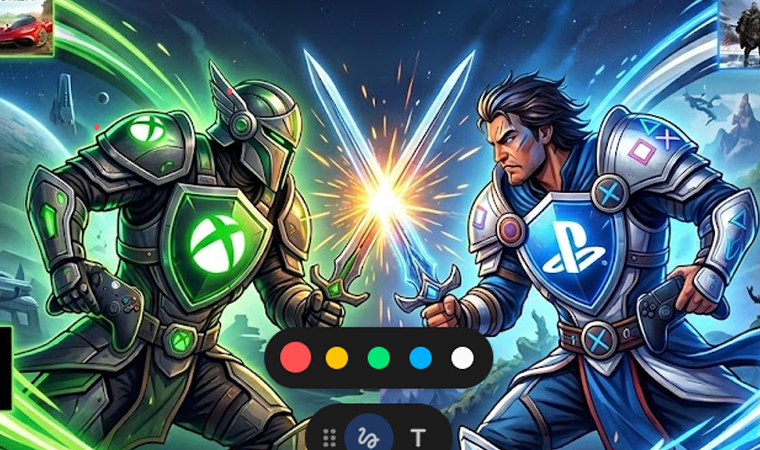
4 Comments
mcw
[1684]mcw Official Login | Trusted Online Casino Malaysia Fast Payouts,mcw offers a seamless official login and app download for players. Experience fast deposit and withdrawal services at a top casino. Join now to start playing. visit: mcw
phfierylogin
The energy on this site is awesome. The games are exciting and the promotions are always updated. Go to phfierylogin
phtg7776
Honestly one of the smoothest apps I have tried lately. Fast payouts and the interface is very friendly for beginners. Definitely check out phtg7776 if you want a fair game.
365jililogin
Super easy to access and the games load instantly. I spend most of my free time here and it never gets boring. Check out 365jililogin