
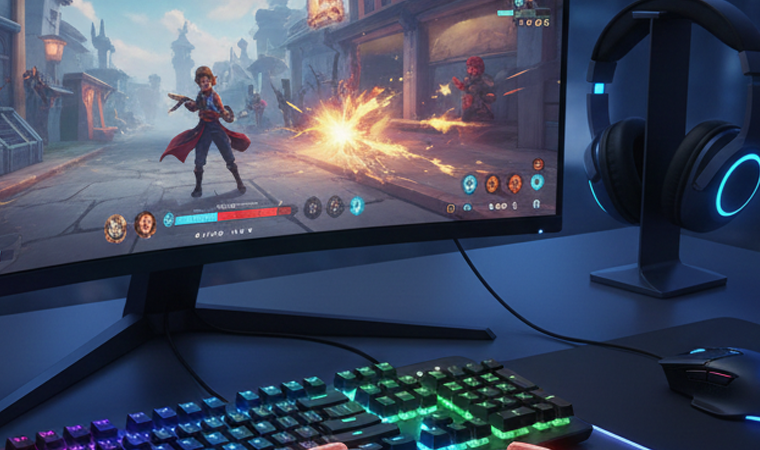
The Real Impact of Quality Gaming Gear
Ever wonder if gaming accessories actually make you better at games, or if it’s all just marketing hype? You’re not alone. The gaming gear industry is filled with flashy products promising to transform you into an esports champion overnight. The truth is more nuanced but also more interesting—the right gaming accessories genuinely improve performance, but not always in the ways manufacturers claim.
Here’s what really matters: quality gaming gear removes obstacles between your intentions and in-game actions. That split-second delay? Gone. That hand cramp after two hours? Eliminated. Those footsteps you couldn’t quite locate? Crystal clear. When accessories work properly, you stop thinking about your equipment and focus entirely on gameplay. That’s when real improvement happens.
This comprehensive guide cuts through the marketing nonsense to reveal which gaming accessories actually matter, how they improve performance, and which ones are worth your hard-earned money. Whether you’re a competitive player seeking every possible advantage or a casual gamer wanting better experiences, understanding gaming gear makes all the difference. Let’s explore the must-have gaming accessories that genuinely elevate your play.
How Gaming Accessories Affect Performance
Response Time and Input Lag
Input lag is the enemy of competitive gaming. It’s the delay between when you press a button and when your character responds. Every millisecond counts in fast-paced games—the difference between landing a headshot and respawning at base often comes down to single-digit millisecond advantages.
Quality gaming peripherals minimize input lag through several technologies. High polling rates (1000Hz or higher) mean your devices communicate with your computer more frequently, reducing delay. Lower latency wireless protocols match or exceed wired performance. Premium components simply respond faster, giving you tangible competitive edges.
The impact varies by game genre. In competitive shooters like Counter-Strike or Valorant, reduced input lag directly translates to better aim and faster reactions. In fighting games where frame-perfect inputs determine success, responsive controllers are absolutely essential. Even in slower-paced strategy games, smooth, responsive controls improve the overall experience.
Comfort During Extended Sessions
Performance isn’t just about raw specs—comfort dramatically affects sustained play quality. Ever notice how your aim gets worse after a few hours? That’s probably fatigue from poor ergonomics, not skill degradation. The best peripherals maintain performance through marathon sessions by preventing physical strain.
Ergonomic mice prevent wrist pain and carpal tunnel symptoms. Comfortable keyboards reduce finger fatigue. Quality headsets don’t create pressure headaches. Proper chairs maintain posture preventing back problems. These comfort improvements might not make you instantly better, but they prevent the performance decline that accompanies physical discomfort.
Think of it like sports equipment—uncomfortable running shoes won’t directly make you slower, but the blisters and pain they cause certainly will. Gaming accessories work the same way. Comfort enables sustained peak performance.
Precision and Accuracy
Precision in gaming gear means your inputs translate exactly as intended. A precise mouse cursor goes exactly where you aim it. A precise keyboard registers every keypress without accidental doubles or misses. Precision eliminates the frustration of equipment fighting against you.
High-quality sensors in gaming mice track movement accurately across different surfaces and speeds. Premium mechanical switches in keyboards provide consistent actuation points and tactile feedback. These precision improvements might seem minor individually, but collectively they create massive differences in competitive scenarios.
The best gaming keyboards and mice don’t just feel responsive—they’re predictable. You develop muscle memory knowing exactly how much pressure triggers actions and precisely how movements translate on-screen. This predictability is what separates gaming-grade peripherals from generic office equipment.
Best Gaming Keyboards and Mice: The Foundation
Mechanical vs. Membrane Keyboards
The keyboard debate often starts here: mechanical or membrane? Mechanical keyboards use individual switches for each key, providing tactile feedback, consistent actuation, and durability. Membrane keyboards use rubber domes and are quieter, cheaper, and more compact.
For gaming, mechanical keyboards generally win. The tactile feedback lets you feel exactly when keys actuate, improving accuracy. The consistent force requirements develop reliable muscle memory. The durability means they’ll last through millions of keypresses—crucial for WASD keys getting constant abuse.
However, context matters. Competitive gamers benefit from mechanical precision. Casual players might prefer membrane keyboards’ quieter operation and lower cost. There’s no universal “best”—choose based on your gaming style, budget, and environment.
Switch Types Explained
Mechanical switch types determine how keyboards feel and sound. The main categories are:
Linear switches (Red switches): Smooth keystroke with no tactile bump. Quieter and faster, preferred by many FPS players who want rapid keypresses without resistance.
Tactile switches (Brown switches): Noticeable bump at actuation point without loud click. Balanced for gaming and typing, offering feedback without excessive noise.
Clicky switches (Blue switches): Tactile bump plus audible click. Satisfying for typing but loud—potentially annoying to teammates and household members.
Gaming-specific switches often feature lighter actuation forces and shorter travel distances for faster inputs. Brands like Razer, Logitech, and SteelSeries develop proprietary switches optimized for gaming. Try different switch types if possible—personal preference matters enormously here.
RGB and Customization Features
RGB lighting isn’t just cosmetic—it serves functional purposes in gaming. Programmable backlighting highlights important keys (WASD, abilities, macros) improving muscle memory and reducing accidental presses. Different colors for different games or profiles provide instant visual confirmation of your current settings.
Beyond lighting, look for keyboards with programmable keys, onboard memory (storing profiles directly on the keyboard), and dedicated media controls. These features enhance convenience without directly improving performance, but removing friction from your setup indirectly benefits gameplay.
Gaming Mouse Technology
DPI and Polling Rate Demystified
DPI (dots per inch) measures mouse sensitivity—how far the cursor moves relative to physical mouse movement. Higher DPI means more sensitive cursor movement. Modern gaming mice offer adjustable DPI, typically ranging from 400 to 20,000+ DPI.
Here’s the secret: ultra-high DPI is mostly marketing. Most competitive players use 400-1600 DPI for precise aim control. Higher DPI makes sense for high-resolution monitors (4K+) requiring more cursor travel, but 99% of gamers don’t need anything above 3200 DPI.
Polling rate measures how often your mouse reports position to your computer (measured in Hz). Higher polling rates (1000Hz) provide smoother cursor movement and lower input lag than lower rates (125Hz). For gaming mice, 1000Hz should be standard—anything less is outdated.
Wired vs. Wireless Performance
The wireless gaming mouse debate is settled: premium wireless mice match or exceed wired performance. Technologies like Logitech’s Lightspeed or Razer’s HyperSpeed provide 1ms response times indistinguishable from wired connections. The convenience of wireless no longer comes with performance compromises.
However, budget wireless mice still suffer from latency and connectivity issues. If going wireless, invest in quality. Otherwise, wired mice remain reliable, never need charging, and are typically cheaper. The performance gap has closed, but the price gap remains.
Mouse Shape and Grip Styles
Mouse shape dramatically affects comfort and performance. Your grip style determines ideal shape:
Palm grip: Entire hand rests on mouse. Prefers larger, ergonomic shapes with palm support.
Claw grip: Fingers arched, palm heel resting on mouse back. Works with medium-sized mice.
Fingertip grip: Only fingertips touch mouse. Prefers smaller, lightweight mice allowing agile movements.
The best gaming mice accommodate specific grip styles. Try before buying if possible—a mouse that’s perfect for palm grip might be terrible for fingertip. Weight also matters; lighter mice (under 80g) enable faster movements while heavier mice provide stability for precise aim.
Must-Have Gaming Accessories for Competitive Play
Gaming Headset Reviews: Audio Matters
Stereo vs. Surround Sound
The surround sound debate in gaming headsets is contentious. Virtual 7.1 surround sound in headsets processes stereo audio to simulate directional sound. Marketing suggests this provides competitive advantages for locating enemies.
Reality is more complex. Quality stereo headsets with good soundstage often provide better positional audio than cheap “surround sound” headsets. Games with excellent audio engines (like Counter-Strike or Rainbow Six Siege) work beautifully with stereo. The surround processing can actually muddy audio in some cases.
The verdict: prioritize headset quality over surround sound marketing. If choosing between expensive surround headset and quality stereo headset at the same price, go stereo. If you can afford premium surround that’s also high quality, the features might provide marginal benefits.
Open-Back vs. Closed-Back Designs
Open-back headsets have perforated ear cups allowing sound to escape. This creates more natural soundstage and prevents ear fatigue during long sessions. However, they leak sound (annoying others nearby) and don’t isolate you from environmental noise.
Closed-back headsets seal around your ears, isolating you from surroundings and preventing sound leakage. They’re better for noisy environments and don’t disturb others, but can feel more claustrophobic during extended use.
For competitive gaming, closed-back designs are generally preferred—they isolate you from distractions and help you focus on game audio. For casual single-player gaming at home, open-back headsets provide more comfortable, natural sound.
Microphone Quality and Communication
Gaming headset microphones range from barely functional to excellent. In team-based competitive games, communication is crucial—teammates need to clearly understand your callouts without background noise interference.
Look for noise-canceling microphones filtering out keyboard clicks and environmental sounds. Boom mic designs position microphones closer to mouths for clearer voice capture. Detachable microphones offer flexibility—use them for gaming, remove for music listening.
Many competitive players use standalone microphones (USB or XLR) for superior quality. Blue Yeti, Audio-Technica AT2020, or Shure SM7B provide broadcast-quality audio far exceeding gaming headset mics. This setup costs more but significantly improves communication quality.
Gaming Monitors: Beyond Resolution
Refresh Rate and Response Time
Monitor refresh rate measures how many times per second the image updates (Hz). Higher refresh rates (144Hz, 240Hz, 360Hz) display smoother motion, providing competitive advantages in fast-paced games. The difference between 60Hz and 144Hz is immediately noticeable—objects move more smoothly, tracking enemies becomes easier, and the entire experience feels more responsive.
Response time measures how quickly pixels change colors (measured in milliseconds). Lower response times (1ms) prevent ghosting and motion blur. For competitive gaming, prioritize 1-5ms response times.
The sweet spot in 2026 is 1440p at 165-240Hz for most gamers. This balances visual quality, performance, and cost. Professional players often choose 1080p at 360Hz, sacrificing resolution for maximum refresh rate. Casual players might prefer 4K at 60-120Hz, prioritizing visual fidelity over competitive edge.
Panel Technology Comparison
Monitor panel technology affects color accuracy, viewing angles, and response times:
TN panels: Fastest response times, highest refresh rates, but poor color accuracy and viewing angles. Preferred by competitive gamers prioritizing performance over visuals.
IPS panels: Excellent color accuracy and viewing angles with good response times (though not quite matching TN). Best for gamers valuing both performance and visual quality.
VA panels: Best contrast ratios with decent colors and response times. Good middle ground for games mixing competitive and cinematic elements.
For competitive gaming, IPS has become the go-to choice in 2026—modern IPS panels offer response times competitive with TN while maintaining superior image quality. Unless you’re a professional esports player, IPS provides the best overall experience.
Gaming Chairs and Ergonomics
Gaming chairs are controversial—many are overpriced, overly branded products with questionable ergonomics. However, proper seating genuinely affects gaming performance by preventing fatigue and maintaining focus during long sessions.
Skip “gaming” chairs with racing seat aesthetics. Instead, invest in proper ergonomic office chairs from brands like Herman Miller, Steelcase, or Secretlab’s higher-end models. These chairs support healthy posture, adjust to your body, and last for years.
Key features: adjustable lumbar support, seat depth adjustment, armrest adjustability (height, width, depth), breathable materials, and smooth recline mechanisms. A proper chair won’t make you aim better, but it prevents the back pain and discomfort that make you worse.
Mousepads: More Important Than You Think
Mousepads seem simple, but they significantly affect mouse performance. The surface affects sensor tracking, glide speed, and control. Different mousepad surfaces suit different playstyles:
Speed pads (smooth cloth or hard surfaces): Low friction for fast, sweeping movements. Preferred by low-sensitivity players making large mouse movements.
Control pads (textured cloth): Higher friction providing precise control. Preferred by high-sensitivity players making small, accurate movements.
Hybrid pads: Balance speed and control, working well for most players.
Size matters too. Extended mousepads (36+ inches wide) accommodate low-sensitivity players needing room for large arm movements. Smaller pads work for high-sensitivity wrist aimers. The best peripherals include properly sized mousepads matching your sensitivity and playstyle.
Best Peripherals by Gaming Genre
FPS and Competitive Shooters
First-person shooters prioritize precision and response time above all else. Ideal setup:
Mouse: Lightweight (under 80g), high-quality sensor, 1000Hz polling rate. Popular choices: Logitech G Pro X Superlight, Razer Viper V3 Pro, Finalmouse UltralightX.
Keyboard: Linear mechanical switches for rapid keypresses. TKL (tenkeyless) or 60% layouts provide more mouse room.
Headset: Closed-back with excellent positional audio. Stereo often outperforms surround in competitive shooters.
Monitor: 1080p or 1440p at 240Hz+ with 1ms response time. High refresh rates provide tangible advantages.
MOBA and Strategy Games
MOBAs and strategy games require different peripheral priorities—precision clicking, quick ability casting, and sustained comfort for long matches.
Mouse: Comfortable shape for extended use, programmable buttons for ability hotkeys. Weight less critical than FPS mice.
Keyboard: Tactile switches providing feedback for ability timing. Full-size or TKL with programmable keys.
Monitor: Larger screens (27+ inches) providing more visual information. 144Hz sufficient; extreme refresh rates less critical.
RPGs and MMOs
MMOs need peripherals supporting hotbar management, comfortable extended sessions, and clear communication.
Mouse: Multi-button mice (12+ buttons) for ability bars. Logitech G600 or Razer Naga are MMO staples.
Keyboard: Full-size with macro keys. RGB useful for color-coding ability types.
Headset: Comfort prioritized over competitive audio features. Good microphone for guild communications.
Fighting Games and Controllers
Fighting games typically use controllers or arcade sticks rather than keyboard and mouse. Quality matters enormously for precise inputs.
Fighting sticks: Premium options like Qanba Obsidian or Razer Panthera provide arcade-accurate inputs. Sanwa or Seimitsu buttons and joysticks are gold standards.
Controllers: PlayStation 5 DualSense or Xbox Elite controllers offer premium build quality and responsiveness. Tournament legal with solid d-pads.
The tactile feedback and precision of quality fight sticks dramatically improve execution of complex inputs required in fighting games.
Budget Gaming Accessories That Deliver
Entry-Level Excellence
Quality gaming gear doesn’t require breaking the bank. Several budget options deliver 80% of premium performance at 30% of the cost:
Keyboards: Redragon K552 ($40) offers mechanical switches and solid build. RK Royal Kludge ($50-70) provides excellent value.
Mice: Logitech G305 ($50) delivers wireless performance on a budget. Razer DeathAdder Essential ($30) is a reliable wired option.
Headsets: HyperX Cloud Stinger ($50) provides solid audio and comfort. SteelSeries Arctis 1 ($50) balances features and price.
These budget picks won’t match $200 peripherals, but they’re massive upgrades from generic office equipment and perfectly functional for most gamers.
Mid-Range Sweet Spots
The $80-150 range offers the best value—significant quality improvements over budget gear without diminishing returns of premium pricing.
Keyboards: Keychron or Ducky boards ($100-130) provide premium build quality and customization. Logitech G Pro ($130) offers tournament-grade performance.
Mice: Logitech G502 ($80), Razer DeathAdder V3 ($90), or Glorious Model O ($80) deliver excellent performance and reliability.
Headsets: HyperX Cloud II ($100), SteelSeries Arctis 7 ($150), or Logitech G Pro X ($130) provide premium audio and comfort.
This tier represents the sweet spot for most gamers—professional-grade performance without luxury pricing.
When to Splurge on Premium
Premium gaming accessories ($150-300+) provide diminishing returns for most players. Splurge when:
You’re competitive: Small advantages matter in tournaments and high-rank competitive play.
You have disposable income: If budget isn’t constrained, premium gear feels amazing even if performance gains are marginal.
You use equipment extensively: Spending big on products you use daily for years is worthwhile investment.
You appreciate build quality: Some people just enjoy premium products for their own sake, and that’s perfectly valid.
Skip premium tier if you’re casual, budget-conscious, or just starting. Upgrade gradually as you identify specific needs and preferences.
Gaming Gear Maintenance and Longevity
Cleaning and Care Tips
Proper maintenance extends gaming accessory lifespans significantly. Weekly dusting prevents buildup. Monthly deep cleaning keeps everything functioning optimally.
Keyboards: Remove keycaps and clean underneath with compressed air and isopropyl alcohol. This prevents sticky keys and maintains responsiveness.
Mice: Clean mouse feet and sensor lens with alcohol wipes. Removes dust affecting tracking accuracy.
Headsets: Wipe earpads with alcohol wipes. Replace worn earpads maintaining comfort.
Mousepads: Machine wash cloth pads occasionally. Wipe hard pads with damp cloth.
These simple maintenance habits prevent premature failure and maintain like-new performance for years.
Firmware Updates and Software
Gaming peripherals often receive firmware updates fixing bugs, adding features, or improving performance. Check manufacturer websites periodically for updates.
Companion software (Logitech G Hub, Razer Synapse, etc.) allows customization but can be resource-intensive. Consider whether you need it running constantly or just for initial setup. Some devices store settings onboard, allowing software removal after configuration.
Warranty and Replacement Considerations
Quality gaming gear typically includes warranties—2-3 years is standard, premium brands sometimes offer longer. Understand warranty terms before purchase. Some manufacturers have excellent support (Logitech is famous for hassle-free replacements), while others make claims difficult.
For expensive peripherals, extended warranties might be worthwhile. For budget gear, replacement cost might be cheaper than extended warranty price.
Gaming Accessories to Avoid
Marketing Gimmicks vs. Real Features
Gaming gear marketing is filled with nonsense. Be skeptical of:
Ridiculous DPI claims: “20,000 DPI!” sounds impressive but is useless for actual gaming.
Fake specifications: Some cheap peripherals claim features they don’t actually deliver.
Unnecessary features: Do you really need 16.8 million RGB colors? Focus on performance over aesthetics.
Research actual performance reviews rather than believing marketing claims. The gaming community is excellent at calling out false advertising.
Overpriced Branding
Some brands charge premiums based purely on name recognition. While established brands often deliver quality, lesser-known manufacturers sometimes provide identical performance at lower prices.
Research components used in peripherals. Many different brands use the same switches, sensors, and components with different branding and prices. You might pay double for identical internals with a famous logo.
Unnecessary Complications
Some gaming gear adds complexity without improving performance. Touchscreens on mice, excessive programmable buttons you’ll never use, or complicated software requiring constant updates—these features add cost and potential failure points.
Simpler designs often prove more reliable. Don’t pay for features you won’t use. The must-have gaming accessories are the ones that actually improve your specific gaming experience.
Setting Up Your Gaming Station
Cable Management Solutions
Cable chaos isn’t just ugly—it’s functional problem causing tangles and accidental disconnections. Proper cable management improves aesthetics and functionality.
Use cable clips attaching wires to desk underside. Cable sleeves bundle multiple cables together. Cable channels route wires along desk edges. Wireless peripherals reduce cable count, but charging cables still require management.
Invest an hour in proper cable management. Your future self will appreciate the clean workspace and easy access when changes are needed.
Lighting and Ambiance
Proper lighting reduces eye strain during long gaming sessions. Bias lighting (LED strips behind monitors) reduces contrast between bright screens and dark rooms, preventing eye fatigue. Controllable RGB room lighting creates ambiance without screen glare.
Avoid lighting directly behind you causing screen glare. Position lights illuminating your space without reflecting on your monitor. This seemingly minor detail significantly impacts comfort during extended sessions.
Desk Layout and Positioning
Ergonomic desk setup matters enormously. Monitor should be at eye level, arm’s length away. Keyboard and mouse at elbow height. Chair adjusted so feet rest flat on floor.
Give yourself adequate mouse room. For low-sensitivity players, ensure at least 18 inches of horizontal space. Position frequently used items (drinks, snacks, phone) within easy reach preventing awkward stretching mid-game.
The perfect setup feels natural—you shouldn’t think about your positioning while gaming.
Wireless vs. Wired Gaming Accessories
Latency Considerations
Premium wireless gaming peripherals have eliminated latency concerns. Technologies from major manufacturers provide response times matching or beating wired connections. However, budget wireless products still suffer from lag and connectivity issues.
The rule: either buy premium wireless or stick with wired. Mid-tier wireless often disappoints with intermittent lag spikes and connection drops. Premium wireless costs more, but the convenience without performance compromise is worth it.
Battery Life and Convenience
Modern wireless mice last 60-100 hours per charge. Keyboards last even longer. Battery anxiety has mostly disappeared—you’re not constantly worrying about mid-game battery death.
Charging solutions have improved too. Some mice charge via dock when not in use. Others offer quick-charging (10 minutes for hours of use). Wireless charging pads keep everything topped off.
Wired peripherals never need charging, eliminating this concern entirely. Choose based on whether convenience outweighs occasional charging.
The Best of Both Worlds
Some peripherals offer dual-mode connectivity—wireless when wanted, wired when preferred. This provides ultimate flexibility. Game wireless, switch to wired for extended marathon sessions or when batteries die.
This approach costs more but eliminates choosing between wireless convenience and wired reliability.
Future of Gaming Accessories
Haptic Feedback Technology
Advanced haptic feedback in controllers and mice provides tactile sensations matching in-game actions. Feel the recoil of different weapons, texture of surfaces, or impact of explosions. This technology currently exists but is becoming more refined and widespread.
Future peripherals will integrate haptics more thoroughly, creating immersive experiences beyond visual and audio. Imagine mice providing subtle feedback guiding your aim or keyboards with adjustable key resistance.
AI-Powered Customization
Artificial intelligence will increasingly customize gaming peripherals automatically. Mice adjusting DPI based on detected game and situation. Keyboards reconfiguring layouts per application. Headsets automatically equalizing audio for different games.
Some implementations exist currently, but expect dramatic expansion as AI becomes more sophisticated and widely adopted.
Adaptive Controllers and Accessibility
Gaming accessibility has improved dramatically, with Microsoft’s Adaptive Controller leading the way. Future peripherals will offer more options for players with different abilities—customizable button mappings, alternative input methods, and adaptive technologies ensuring everyone can game comfortably.
This trend benefits all gamers. Features designed for accessibility often improve standard controller usability too.
Testing and Choosing Gaming Accessories
What to Look for in Reviews
Quality gaming headset reviews and peripheral reviews prioritize actual performance over marketing specs. Look for reviews testing:
Objective measurements: Latency testing, sensor accuracy, build quality assessment.
Long-term usage: Reviews after months of use revealing durability issues early reviews miss.
Comparison testing: Direct comparisons against competitors at similar price points.
Avoid reviews that merely regurgitate specifications without testing. Professional reviewers like Rtings, Tom’s Hardware, and specialized YouTube channels provide trustworthy evaluations.
Return Policies and Trial Periods
Peripherals are personal—what works for others might not work for you. Buy from retailers with generous return policies allowing testing. Many gaming brands offer trial periods where you can return products if they don’t meet expectations.
Don’t hesitate using return policies. It’s better to try and return than commit to expensive gear that doesn’t suit you. This is especially important for mice and keyboards where personal preference matters enormously.
Community Recommendations
Gaming communities on Reddit, Discord, and forums provide valuable real-world perspectives. Communities dedicated to specific games often have accessory recommendations tailored to that game’s needs.
Engage with communities asking about specific use cases. Experienced players provide insights manufacturers never would, including workarounds for common issues and hidden problems with popular products.
Conclusion
Gaming accessories genuinely improve performance when chosen thoughtfully. The best gaming keyboards and mice eliminate input lag and provide precision that generic peripherals can’t match. Quality headsets improve communication and immersion. Proper monitors display smooth, responsive gameplay. Comfortable chairs prevent fatigue during long sessions. These must-have gaming accessories remove barriers between you and peak performance.
However, more expensive doesn’t always mean better. Understanding what features actually matter for your specific games and playstyle prevents wasting money on unnecessary bells and whistles. The best peripherals match your needs—a $50 mouse paired with proper technique outperforms a $150 mouse used poorly.
Start with the basics: quality mouse, mechanical keyboard, and decent headset. These three form the foundation of any gaming setup. Upgrade gradually as you identify specific needs and develop preferences. Test when possible, research thoroughly, and don’t believe marketing hype without verification. The right gaming gear isn’t about owning the most expensive equipment—it’s about finding accessories that genuinely enhance your gaming experience and eliminate frustration.
Build your setup thoughtfully, maintain it properly, and you’ll have gaming accessories that serve you well for years. Your performance will improve not because the accessories magically made you better, but because they removed obstacles letting your actual skill shine through. That’s the real value of quality gaming gear.
FAQs
1. What are the must-have gaming accessories for beginners on a budget?
Start with three essentials: a quality gaming mouse ($40-60 like Logitech G305 or Razer DeathAdder Essential), a mechanical keyboard ($40-70 like Redragon K552 or RK Royal Kludge), and a decent headset ($40-60 like HyperX Cloud Stinger). These three upgrades provide the most significant improvement over generic peripherals without breaking the bank. Your existing monitor is probably fine initially—upgrade that later once you’ve established you enjoy competitive gaming. A proper mousepad ($15-30) is also worthwhile, but use what you have temporarily if budget is extremely tight. This ~$150 foundation dramatically improves your gaming experience compared to office equipment.
2. Do expensive gaming keyboards and mice really make you better at games?
Quality peripherals improve performance by reducing input lag, providing better precision, and offering superior comfort during extended sessions. However, they won’t magically transform you from average to professional. Think of them as removing handicaps rather than adding superpowers. A $20 office mouse introduces inconsistent tracking, acceleration, and lag that quality gaming mice eliminate. The difference between a $60 gaming mouse and $150 premium mouse is much smaller than the difference between $20 office mouse and $60 gaming mouse. Expensive accessories provide diminishing returns—they’re worthwhile for competitive players where tiny advantages matter, less critical for casual gamers. Your skill matters far more than your gear.
3. Which features in gaming headset reviews should I prioritize?
Prioritize comfort and audio quality over marketed features like “7.1 surround sound” or RGB lighting. For comfort, look for adjustable headbands, breathable earpads, and reasonable clamping force. For audio, focus on soundstage (ability to locate directional sounds) and clarity rather than bass-heavy gaming profiles. Microphone quality matters if you play team games—noise cancellation and clear voice capture are essential. Build quality determines longevity—metal frames outlast plastic. Ignore gimmicks like excessive RGB or claimed surround sound in $50 headsets. The best gaming headsets balance comfort, audio quality, and microphone performance without unnecessary complications. Read reviews from users after months of use, not just initial impressions.
4. Are wireless gaming accessories as good as wired ones in 2026?
Premium wireless gaming accessories from reputable manufacturers now match or exceed wired performance. Technologies like Logitech Lightspeed, Razer HyperSpeed, and similar provide 1ms response times indistinguishable from wired connections. Battery life has improved to 60-100 hours per charge for mice, eliminating constant recharging concerns. However, budget wireless peripherals still suffer from lag, interference, and reliability issues. The rule is simple: buy premium wireless or stick with wired. Never buy cheap wireless gaming gear—it disappoints. For most competitive gamers, premium wireless provides the best experience combining convenience with performance. Wired remains slightly cheaper and never needs charging, making it valid for budget-conscious or never-want-to-charge players.
5. How do I know which best peripherals match my gaming style?
Match peripherals to your specific games and preferences. FPS players need lightweight mice, fast keyboards, and high-refresh monitors. MOBA/MMO players benefit from multi-button mice and programmable keyboards. Your grip style determines ideal mouse shape—palm, claw, or fingertip grips each prefer different designs. Sensitivity preferences matter too—low-sensitivity players need larger mousepads and lighter mice for sweeping arm movements; high-sensitivity players prefer smaller setups for precise wrist movements. Try peripherals when possible or read reviews from players of your main games. Gaming communities for specific titles often recommend gear that works well for that game. Don’t buy based purely on reviews—personal preference and hand size significantly affect what works for you individually.

9 Comments
2777bet
[8588]2777bet অফিসিয়াল লগইন | বিকাশ পেমেন্ট ও সেরা ক্যাসিনো বোনাস,2777bet অ্যাপ ডাউনলোড করে সেরা অনলাইন ক্যাসিনো বোনাস উপভোগ করুন। বিকাশ দিয়ে দ্রুত টাকা জমা দিন এবং স্লট গেমের নিয়ম শিখে আজই জয়েন করুন। visit: 2777bet
24slots
[1638]24slots | Link Vào Chính Thức – Casino Trực Tuyến Uy Tín Số 1,24slots cung cấp link vào chính thức với kho game nổ hũ đa dạng và hỗ trợ nạp tiền qua Momo nhanh chóng. Tải app APK ngay để trải nghiệm casino đẳng cấp. visit: 24slots
iddragon212
This site is a hidden gem! The graphics are great and the gameplay is very fluid. I’m spending a lot of time on iddragon212 lately
jilioklogin
Super easy to get into my account. The page loads fast even on my mobile data which is a huge plus for me. jilioklogin
brpgwin
If you are looking for a place with a huge selection of slots and great rewards then this is it. I am having a blast on brpgwin.
xsdn
[7775]Xsdn | Đăng nhập tải app và chơi quay hũ đổi thưởng,Truy cập xsdn để đăng nhập và trải nghiệm game quay hũ đổi thưởng hấp dẫn. Hướng dẫn cách chơi baccarat online và nạp tiền qua Momo casino nhanh chóng. Chơi ngay! visit: xsdn
bdsky999
Really impressed with the fast payouts and the overall interface. It makes everything so much easier. Highly recommend bdsky999 to everyone.
ptplaytime
I’ve been looking for a reliable site like this for a while. The payouts are fair and the games are top notch. Highly recommend ptplaytime to everyone.
50jilivip
Really impressed with the loyalty program here. The perks are awesome and the gaming experience is just buttery smooth. Join the club at 50jilivip.